
Most modern cars come with a set of driver assistance features, and most of them can be tuned. The factory settings suit nobody in particular, so a quiet spell in the menu while parked can turn an irritating chime into a useful one. This article covers the settings and the habits, not how each sensor works.
What the features do and what they leave to you
Driver assistance is a group of helpers that watch the road and either warn you or make small corrections. Adaptive cruise holds a speed and a gap to the car ahead, lane help warns of a drift or nudges the wheel, and collision warnings watch for something closing fast. None of them drives the car.
The driver stays in charge the whole time, with hands on the wheel and eyes on the road. These features can lose sight of lane lines, misread a shadow or hand control back with nothing more than a chime. Treat each one as a second pair of eyes that sometimes blinks, and drive as if it were not there.
- Hands stay on the wheel, even when the car steers a little
- Eyes stay on the road, not on the screen showing what the car sees
- Your foot stays ready to brake, since the car may hand back control
- A chime or a flashing symbol means take over now
Settings worth finding while parked
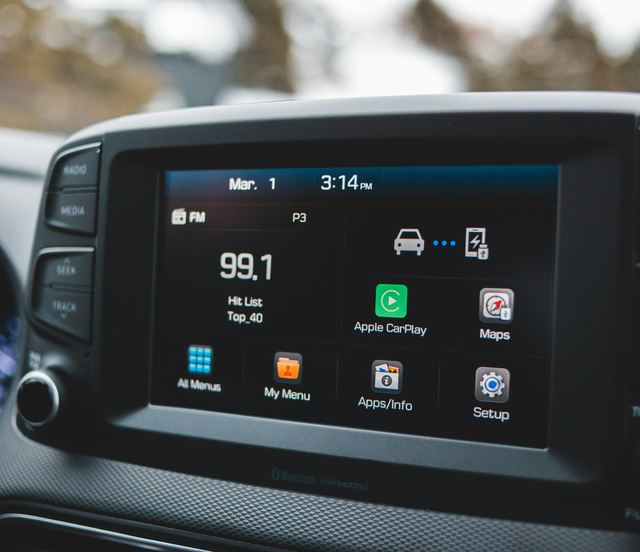
Most cars group these features in one menu on the touchscreen or in the instrument cluster, often under a heading about driving or safety. Menus differ by car, and the owner's manual has the exact names and steps. Go through it with the car parked, so you know what each switch does before you need it on the road.
The settings that change daily driving most are the warning timing, the type of alert and the gap adaptive cruise keeps. An earlier warning gives more notice but chimes more often in town traffic. Many cars let you swap a sound for a buzz in the seat or the steering wheel, which some drivers find less jarring.
- Forward warning timing: early, middle or late
- Lane help: warning only, gentle steering or off
- Alert style: a sound, a vibration or both
- The following gap for adaptive cruise, often shown as bars
- Whether each setting stays put or resets at every start
Surprises new owners mention
Many cars switch some features back on every time the car starts, whatever you chose on the last drive. That is deliberate, and the manual usually says which settings stick and which return. If a feature seems to turn itself back on, check this before you suspect a fault.
Adaptive cruise can brake for a car turning off ahead, or speed up as soon as the car in front changes lanes, which feels abrupt the first time. Lane help may tug at the wheel in a work zone where old and new lines cross. A dirty windshield, snow on the front badge or heavy rain can make a feature switch off with a message.
Habits that make the help useful
Try adaptive cruise on roads you know before you use it in heavy traffic, so its braking and speeding up feel familiar. Keep the glass in front of the rear-view mirror and the front of the car clean, since that is where the sensors usually look out. In winter, clear snow and ice from the badge and bumper as well as the windshield.
Switch a feature off when the road calls for it, such as a lane closure, a gravel road or towing, and turn it back on afterward; the manual says when this applies. If a driver assistance warning light stays on, or a feature keeps saying it is unavailable in clear weather, have the carmaker's service department look at it.
Sharing the car and after a repair
Settings that suit one driver can startle another. Some cars save assistance settings to a driver profile tied to a key or a seat memory button, while others keep one set for everyone. Before someone else takes the car, show them where the menu lives and what each chime means.
After a new windshield or work on the front bumper, the cameras and radar may need to be lined up again before they behave as designed. Ask whoever does the work whether your car needs that step, and read what the manual says. A car that warns at odd moments after a repair is worth taking back.
- Show a second driver the menu and the chimes
- Check whether settings follow a driver profile or the car
- Ask about lining up the sensors after glass or bumper work
- Take odd warnings after a repair back to the shop that did it
What to take away
- Driver assistance helps; it never drives the car
- Learn the menu while parked, with the manual open
- Check which settings reset each time the car starts
- Keep the windshield and the front sensors clean
Try it while parked
- Find the driver assistance menu and read each option
- Change the following gap and watch the bars change
- Swap a warning sound for a vibration, then back
- Turn the car off and on to see which settings reset
- Find the page in the manual that explains each symbol
Questions
Many features can be switched off or set to warning only, and some return to on at each start by design. Emergency braking often comes back on unless you turn it off on every drive. The owner's manual lists which settings stay and which reset.
It depends on seeing the lane lines, and faded paint, glare, snow or a sharp bend can hide them. When it loses them it usually shows a gray symbol or a message and stops steering. The driver should be steering all along, so only the help goes away.
Some cars bring the car to a stop and pull away again, while others hand back control below a certain speed. The manual says which yours does. Either way, keep your foot ready, because a car cutting in close may catch the system late.